You might come across a common requirement which is attempting to create a record using an LDS method.
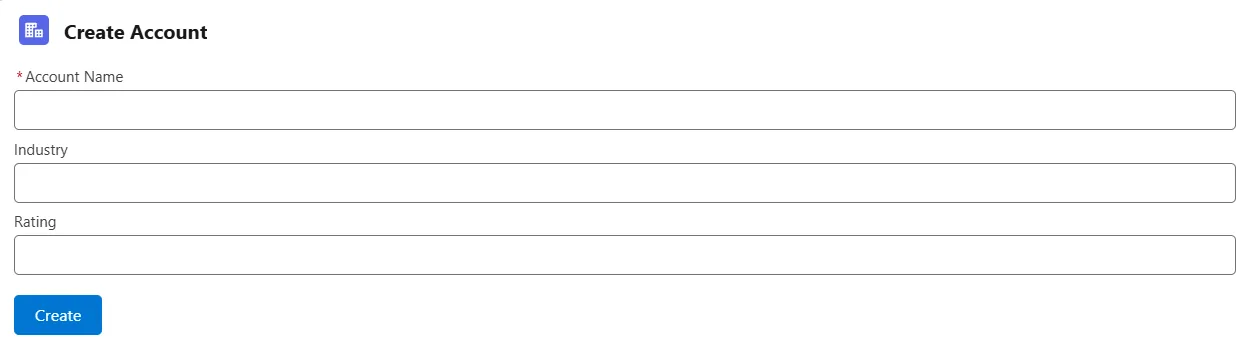
Creating a new record using createRecord LDS record
It's not suggested to use this approach straight away, try to use one of the LDS tags to create a record. If the requirement needs a bit of customization only then rely on using this method which is createRecord.
Here is the sample code that we can use to create a record using the LDS method (which is createRecord()).
import { LightningElement } from "lwc";

//1. Import the method "createRecord" which is a named import
import { createRecord } from "lightning/uiRecordApi";

//2. Import the reference to Object and Fields
import ACCOUNT_OBJECT from "@salesforce/schema/Account";

import NAME_FIELD from "@salesforce/schema/Account.Name";
import INDUSTRY_FIELD from "@salesforce/schema/Account.Industry";
import RATING_FIELD from "@salesforce/schema/Account.Rating";

export default class ExploreCreateRecord extends LightningElement {

  name;
  industry;
  rating;

  handleChange(e) {
    if (e.target.name === "name") {

      //this is name input textbox
      this.name = e.target.value;
      console.log(this.name);
    } else if (e.target.name === "industry") {

      //this is industry input textbox
      this.industry = e.target.value;
      console.log(this.industry);
    } else if (e.target.name === "rating") {

      //this is rating input textbox
      this.rating = e.target.value;
      console.log(this.rating);
    }
  }

  handleClick() {

    //3. Map the data to the fields
    const fields = {};

    fields[NAME_FIELD.fieldApiName] = this.name;
    fields[INDUSTRY_FIELD.fieldApiName] = this.industry;
    fields[RATING_FIELD.fieldApiName] = this.rating;

        //4. Prepare config object with object and field API names
    const recordInput = {
      apiName: ACCOUNT_OBJECT.objectApiName,
      fields: fields
    };

        //5. Invoke createRecord by passing the config object
    createRecord(recordInput).then((record) => {
      console.log(record);
    });
  }
}
exploreCreateRecord.js
This is the template file used to capture the user input so that it can be used in creating a record.
<template>
  <lightning-input
    name="name"
    value={name}
    onchange={handleChange}
  ></lightning-input>
  <lightning-input
    name="rating"
    value={rating}
    onchange={handleChange}
  ></lightning-input>
  <lightning-input
    name="industry"
    value={industry}
    onchange={handleChange}
  ></lightning-input>

  <lightning-button label="Create" onclick={handleClick}></lightning-button>
</template>
exploreCreateRecord.html
Hope this helps!
Tip
Grab your FREE course
I have put together a FREE course on Javascript that helps you master Lightning Web Components.
It just takes 2 hours to finish the course and you will be able to feel the difference.
Learn it by building it
Every course, every code repository, the discussion group and certificates of completion — one subscription.