We will be looking at how to get all the fields of an SObject dynamically in LWC.
Schema class contains lot of helpful methods for obtaining schema describe information.
Working with Schema class in Apex is pretty much straight forward but when it comes to LWC there are a few things that we need to handle in a different way.
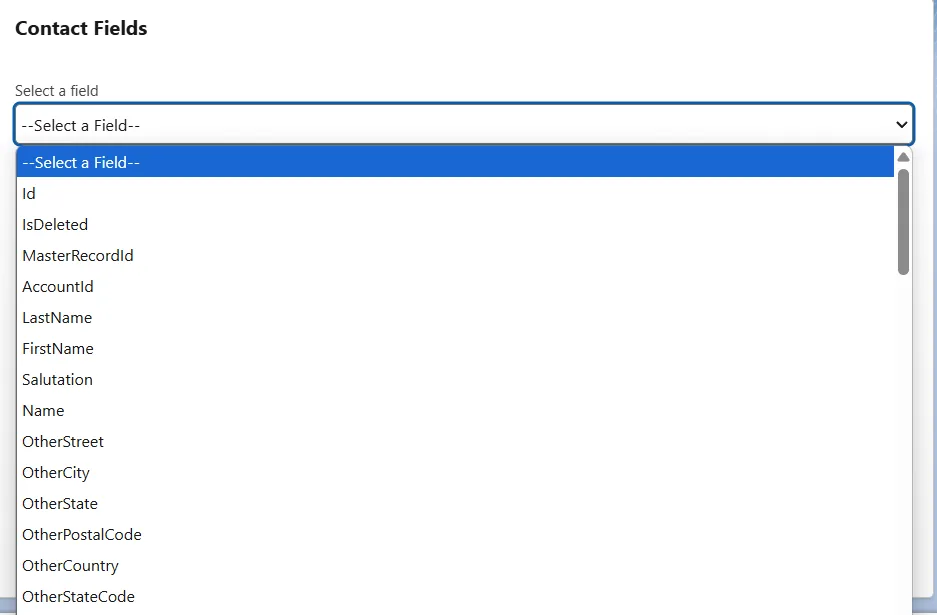
Displaying fields in a picklist
We will be looking at the bottlenecks and all the workarounds that we will try to implement to get this working.
We will try to start off with the Apex Class and this is how it's gonna look.
@AuraEnabled(cacheable=true)
    public static List<String> getContactFields(){
        SObjectType contactType = Schema.getGlobalDescribe().get('Contact');
        Map<String,Schema.SObjectField> mfields = contactType.getDescribe().fields.getMap();

        List<String> sObjectDetailsList = new List<String>();
        for(String s : mfields.keySet()){
            sObjectDetailsList.add(String.valueOf(mfields.get(s)));
        }
        return sObjectDetailsList;
    }
If you notice it, the return type of the @AuraEnabled method is not Map<String, Schema.SObjectType> that's because the AuraEnabled method cannot return data of type SObjectType.
So I thought of using List<String> as the return type of the method.
Then coming to the lightning web component, you will not find <lightning-select></lightning-select> there are a ton of reasons for that. One of the reasons being LWC is built on Web Components standards, meaning, we can use all the entities that are used in Web Components in Lightning Web Components too.
So instead of <lightning-select></lightning-select> we can use native <select /> tags.
Not able to find <lightning-select></lightning-select>
That’s because LWC is based on Web Components, meaning, you can use the native HTML <select> and <option> tags. #salesforce #lwc #webcomponents
— Teja (@kkteja) March 25, 2020
As an alternative, we can use <lightning-combobox></lightning-combobox> but for some reason am inclined towards using the native tags, just because it's native and any changes done to these will automatically be available in LWC too.
For example, we can use Touch Events in LWC just because they can be used in Web Components.
Did you know we can use Touch Events in LWC?
— Teja (@kkteja) March 13, 2020
Okay now, let us look at the complete web component.
This is the template file.
<label>Select the fields you want to display in the Data Table</label>
    <select class="slds-select" name="optionSelect">
        <template for:each={wiredContactFields.data} for:item="field">
            <option key={field} value={field}>{field}</option>
        </template>
    </select>
</template>
This is the JS file associated with the template file.
import { LightningElement, wire } from 'lwc';
import getContactFields from '@salesforce/apex/ExploreCustomContactController.getContactFields';

export default class ExploreReimplementDataTable extends LightningElement {
    @wire(getContactFields) wiredContactFields;
}
And this is the Apex class.
public with sharing class ExploreCustomContactController {
    public ExploreCustomContactController() {

    }

    @AuraEnabled(cacheable=true)
    public static List<String> getContactFields(){
        SObjectType contactType = Schema.getGlobalDescribe().get('Contact');
        Map<String,Schema.SObjectField> mfields = contactType.getDescribe().fields.getMap();

        List<String> sObjectDetailsList = new List<String>();
        for(String s : mfields.keySet()){
            sObjectDetailsList.add(String.valueOf(mfields.get(s)));
        }
        return sObjectDetailsList;
    }
}
Hope this helps!
Learn it by building it
Every course, every code repository, the discussion group and certificates of completion — one subscription.